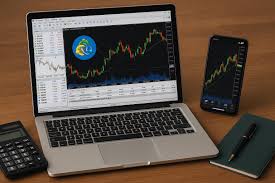
MetaTrader 4 (MT4) is a cornerstone platform for forex and CFD trading. Whether you are a beginner learning the basics or an active trader managing multiple positions, understanding how to login mt4 on pc is crucial. This guide explains the login process step by step while highlighting how the platform supports data-driven, statistics-based trading.
What Is MT4 and Why Is It Popular Among Traders?
MT4 is a desktop trading platform designed to provide real-time market access, advanced charting, and automated trading through Expert Advisors (EAs). It allows traders to analyze historical and live price data, implement technical indicators, and execute orders efficiently.
From a statistical perspective, MT4 is valuable because it enables traders to calculate probabilities, measure volatility, and evaluate risk metrics. These analytical tools help both beginners and active traders make informed, systematic trading decisions rather than relying on guesswork.
What Do You Need Before Logging In to MT4?
Before accessing MT4, ensure you have the following:
- The MT4 software installed on your PC
- A stable internet connection for uninterrupted data flow
- Trading account credentials, including login ID, password, and server information
Having these elements ready ensures smooth connectivity, accurate price data, and reliable order execution, which are essential for statistical analysis and risk management.
How to Install MT4 on Your PC?
Download the MT4 installer from a reliable source and run the setup file. Follow the on-screen instructions to complete the installation. Once installed, open the platform to access default charts and sample data.
Desktop MT4 provides advantages for statistical analysis and active trading. Large screens, multiple chart windows, and customizable indicators make it easier to monitor trends, calculate probabilities, and implement advanced trading strategies.
Step-by-Step Guide to Login MT4 on PC
- Launch the MT4 platform on your computer.
- Click the “File” menu at the top-left corner.
- Select “Login to Trade Account.”
- Enter your account login ID and password.
- Choose the correct server provided by your broker.
- Click “Login” to access your trading account.
Successful login is indicated by continuous live price updates and a connected status in the bottom-right corner of the platform.
Why Is Correct Server Selection Crucial?
Each account is linked to a specific server that handles trade execution and price updates. Choosing the wrong server can lead to delayed quotes, slippage, or failed orders.
From a professional standpoint, server accuracy is critical for active traders who rely on precise timing. Statistical analyses such as volatility calculations, trend evaluation, and probability modeling are only meaningful when data is accurate and updated in real time.
How to Confirm Your MT4 Login Was Successful?
Check the connection status at the bottom-right corner of the platform. A green icon or active connection indicator confirms that MT4 is receiving live data. Additionally, opening a chart and observing price movements in real time ensures your account is fully connected.
What Can You Do After Logging In?
Once logged in, MT4 offers numerous tools for both new and active traders:
- Real-time and historical charts for trend analysis
- Technical indicators such as moving averages, RSI, and Bollinger Bands
- Risk management tools, including stop-loss, take-profit, and trailing stops
- Portfolio monitoring and performance metrics for multiple assets
These features allow traders to make data-driven decisions, analyze probabilities, and implement strategies systematically.
Common Login Issues and How to Solve Them
Most login problems arise from incorrect credentials, wrong server selection, or unstable internet connectivity. Double-check account details and ensure reliable internet access to prevent errors.
Why MT4 PC Is Suitable for Both Beginners and Active Traders?
Beginners benefit from a structured environment for learning technical analysis and practicing strategies. Active traders gain advanced execution capabilities, multiple chart monitoring, and real-time analytical tools. The platform supports statistical evaluation, trend identification, and risk management, making it suitable for all levels of trading experience.
Conclusion: How to Start Trading Confidently on MT4
Logging in to MT4 on a PC is simple yet essential for effective trading. By following the correct steps, selecting the proper server, and ensuring accurate credentials, traders can access live market data, advanced analytical tools, and reliable execution features. Whether new or experienced, MT4 provides a professional environment for disciplined, statistics-based trading, helping users make informed decisions and manage risk effectively.
About the Author